Azure App Gateways In A Secured Hub VNet
Following on from my last post discussing micro segmentation within an Azure secured hub, I will now cover deploying internet-facing resources — specifically Application Gateways — into the same secured VWAN hub architecture.
The Problem: Asymmetric Routing
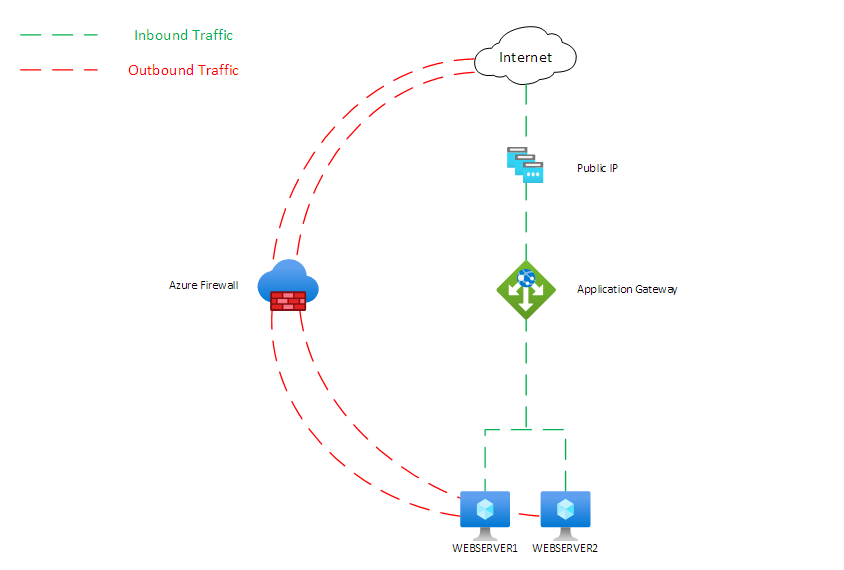
When you deploy an Application Gateway into a spoke VNet connected to a secured VWAN hub, you hit an asymmetric routing problem:
- Inbound traffic arrives directly through the Application Gateway's public IP — bypassing the firewall entirely
- Return traffic is forced through the Azure Firewall because the secured hub advertises a default route with the firewall as the next hop
The Application Gateway receives traffic on one path and attempts to return it on another. This asymmetry breaks the gateway.
The Fix
The solution is to disable internet traffic security for the VNet containing the Application Gateway. This stops the secured hub from advertising the default route to that specific VNet, letting internet traffic flow directly.
In the portal:
- Navigate to Firewall Manager → Virtual Hubs
- Select the relevant virtual hub
- Go to Security Configuration
- Find the VNet containing your Application Gateway
- Click "Remove internet traffic security"
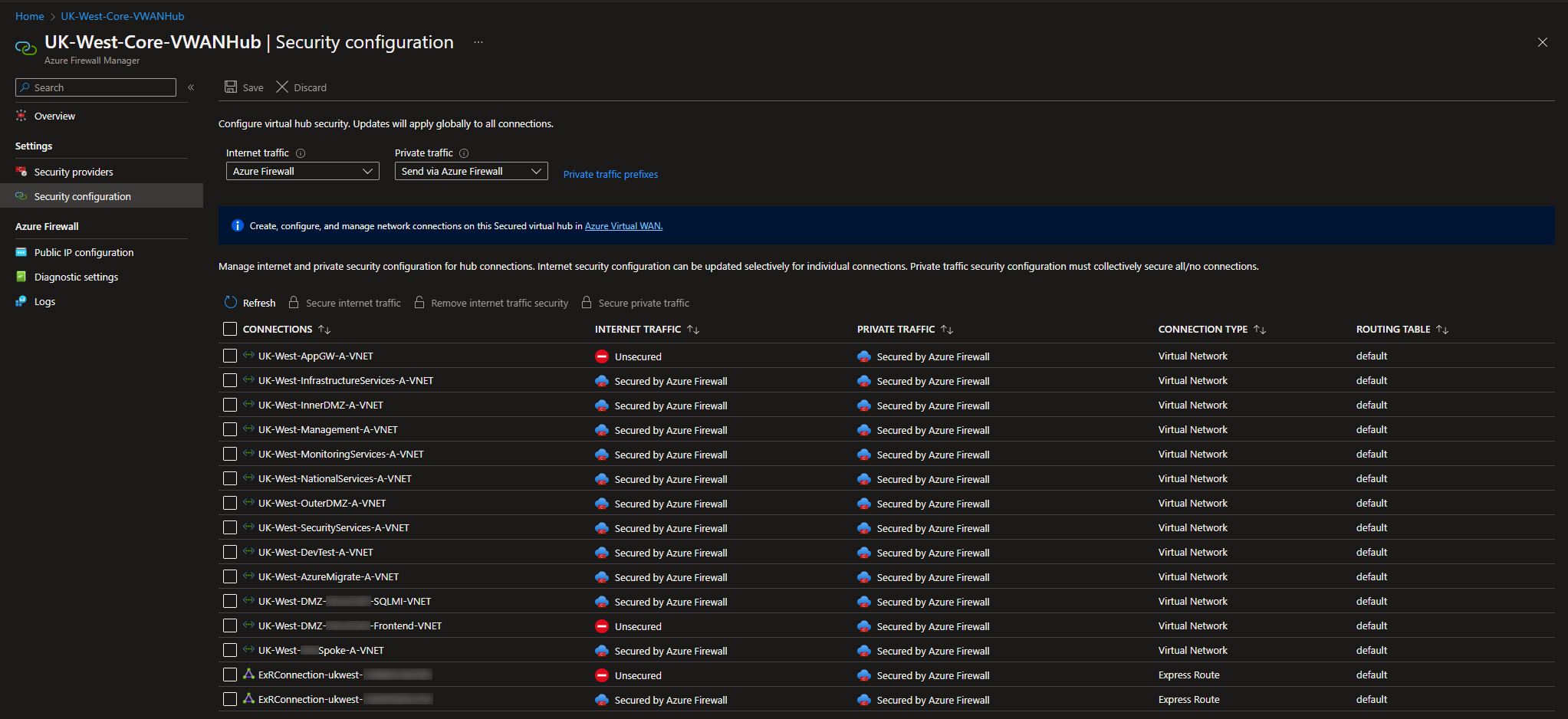
That's it. The Application Gateway can now handle its own inbound and outbound internet traffic symmetrically, while other spoke VNets remain protected through the firewall.
Beyond Application Gateways
This same issue — and fix — applies to any directly internet-facing resource hosted in a secured hub spoke VNet. Examples include VMs running Netscaler images or any other NVA that manages its own public IP traffic.
The key principle: if a resource manages its own internet-facing traffic path, it cannot also have that traffic forced through a firewall hop on return. Remove internet traffic security for that VNet specifically, and leave it enabled for everything else.
See also: Azure Virtual Network Micro Segmentation With Secure VWAN Hubs